
Samsung RF28HMEDBSR Refrigerator: A Comprehensive Guide
This guide offers detailed information on the Samsung RF28HMEDBSR refrigerator, covering operation, maintenance, troubleshooting, and access to online manuals and service documentation.
The Samsung RF28HMEDBSR is a 28.15 cu. ft. French Door refrigerator known for its innovative features like Twin Cooling Plus™ and the Food Showcase™ door. This model, available in Fingerprint Resistant Black Stainless Steel, aims to maximize food preservation and convenience.
Users can access a comprehensive Use and Care Manual through the Samsung Download Center, offering detailed instructions on operation and maintenance. Understanding this manual is crucial for optimal performance and longevity of your appliance. Various online resources, including the Internet Archive, provide access to these manuals.
Key Features and Specifications
The RF28HMEDBSR boasts a 27.8/28.15 cu. ft. capacity and incorporates Twin Cooling Plus™ technology for enhanced humidity control. Key features include the Food Showcase™ door, adjustable shelving, and a FlexZone™ drawer. Specifications detail a French Door design with an external ice and water dispenser.
The refrigerator utilizes a digital inverter compressor and offers Power Freeze and Power Cool functions. Detailed specifications and installation guidance are available in the official Samsung documentation, accessible via online resources like PartSelect and the Samsung Download Center.
Understanding the Control Panel
The control panel manages temperature settings, Power Freeze/Cool, door alarms, and dispenser lock functions, offering intuitive control over refrigerator operations.
Power Freeze and Power Cool Functions
Power Freeze rapidly lowers the freezer temperature, ideal for quickly freezing fresh foods and preserving their texture and flavor. Power Cool similarly accelerates fridge cooling after a grocery shopping trip, minimizing temperature fluctuations.
Activation is typically achieved through the control panel, with automatic deactivation after a set period – usually 24 to 48 hours – to conserve energy. Prolonged use isn’t recommended. These functions are designed for short-term, intensive cooling needs, ensuring optimal food preservation without excessive energy consumption.
Door Alarm Settings and Adjustments
The RF28HMEDBSR features a door alarm to alert you if a refrigerator or freezer door is left open for an extended period, preventing food spoilage and energy waste. Alarm duration and sensitivity can often be adjusted via the control panel settings.
Users can typically choose from different alarm volumes or even disable the alarm entirely, though disabling it isn’t recommended. Proper function ensures food safety and efficient operation. Refer to the user manual for specific instructions on customizing these settings for your model.
Temperature Control Settings for Fridge and Freezer
The RF28HMEDBSR allows precise temperature adjustments for both the refrigerator and freezer compartments via the control panel. Recommended refrigerator temperature is typically between 37°F and 40°F (3°C and 4°C), while the freezer should be set to 0°F (-18°C).
Utilize the digital display to monitor and modify these settings. Adjustments should be made gradually, allowing several hours for the temperature to stabilize. Refer to the user manual for detailed guidance on optimal temperature settings for various food types.
Using the Food Showcase Door
The Food Showcase door provides quick access to frequently used items, minimizing cold air loss and maximizing energy efficiency for convenience.
Accessing and Utilizing the InnerView™ Shelf
The InnerView™ shelf, a key feature of the Food Showcase door, allows you to view contents without opening the entire refrigerator. This innovative design minimizes temperature fluctuations, preserving food freshness longer.
To access, simply use the door-in-door handle. This shelf is ideal for storing frequently accessed beverages and snacks. Proper utilization reduces energy consumption and keeps your favorite items readily available. Regularly check and organize items on this shelf for optimal convenience and food preservation.
Optimizing Food Storage in the Showcase Door
Maximize the Food Showcase door’s efficiency by storing frequently used items like condiments, drinks, and small snacks. Avoid placing large or bulky items that obstruct the view or prevent the door from closing properly.
Utilize the adjustable bins to customize storage for various container sizes. Regularly check expiration dates and rotate items to minimize waste. Proper organization not only enhances accessibility but also contributes to maintaining optimal temperature and freshness within the door.
Twin Cooling Plus™ System Explained
Samsung’s Twin Cooling Plus™ system independently cools fridge and freezer compartments, maintaining optimal humidity levels and preserving food freshness longer.
How Twin Cooling Plus™ Maintains Optimal Humidity
Twin Cooling Plus™ utilizes separate cooling systems for the refrigerator and freezer. This prevents airflow between the two compartments. Consequently, the refrigerator maintains higher humidity, ideal for preserving delicate produce. The freezer, conversely, operates with lower humidity, minimizing freezer burn.
Independent cooling prevents food odors from transferring between compartments, keeping food tasting fresher, longer. This system ensures that both fresh and frozen foods are stored in their optimal environments, maximizing their shelf life and flavor. Effectively, it’s a dual system for superior food preservation.
Benefits of Twin Cooling Plus™ for Food Preservation
Twin Cooling Plus™ significantly extends the freshness of fruits and vegetables by maintaining optimal humidity levels within the refrigerator compartment. Reduced freezer burn is another key benefit, as the independent freezer cooling system prevents moisture crystallization on frozen foods.
Furthermore, this technology minimizes odor transfer between the fridge and freezer, preserving the natural flavors of all stored items. Ultimately, Twin Cooling Plus™ contributes to less food waste and a consistently enjoyable culinary experience, ensuring peak freshness for longer periods.
Ice and Water Dispenser Operation
This section details how to use the dispenser, replace the water filter, troubleshoot ice maker issues, and engage the convenient dispenser lock function.
Replacing the Water Filter
Maintaining fresh, clean water requires regular filter replacement, typically every six months. Locate the filter within the refrigerator, usually in the upper-right corner. Gently turn the filter counterclockwise to release it, and have a new filter ready. Align the new filter and insert it, turning clockwise until secure. Flush the system by dispensing water for five minutes to remove air and debris. Reset the filter indicator on the control panel, following the instructions in the user manual, ensuring optimal water quality and dispenser function.
Troubleshooting Ice Maker Issues
If the ice maker isn’t producing ice, first check the power supply and ensure it’s enabled on the control panel. Verify the water line is connected and the water supply valve is fully open. Inspect for frozen water lines blocking ice production. If ice clumps form, try manually clearing the ice bin. Consult the user manual for specific error codes, and consider resetting the refrigerator if issues persist. A faulty water inlet valve may also be the cause.
Dispenser Lock Function
The dispenser lock function, accessible via the control panel, disables both the ice and water dispenser. This is useful to prevent accidental dispensing or for households with children. To activate, press and hold the ‘Dispenser Lock’ button for a few seconds until the lock indicator illuminates. Repeat to unlock. Ensure the lock is disengaged before attempting to use the dispenser. Refer to the user manual for specific button locations and indicator light behavior on your RF28HMEDBSR model.
Interior Organization and Shelving
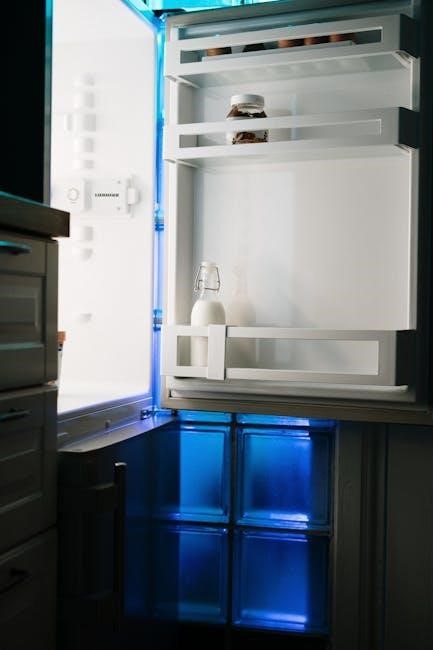
Explore adjustable shelves, door bins, and the versatile FlexZone™ drawer for optimal food storage within your RF28HMEDBSR refrigerator. Maximize space!
Adjustable Shelves and Door Bins
The RF28HMEDBSR boasts highly customizable interior storage. Adjustable shelves easily reconfigure to accommodate items of varying heights, from tall pitchers to oversized platters. Door bins are also adjustable, allowing you to tailor the space to your specific needs – store condiments, jars, or beverages with ease.
These features maximize usable space and ensure efficient organization. Consider removing shelves or bins altogether for exceptionally large items. Proper arrangement enhances visibility and accessibility, reducing food waste and simplifying your kitchen routine. Regularly assess and adjust your shelving configuration for optimal performance.
FlexZone™ Drawer Functionality
The RF28HMEDBSR’s FlexZone™ drawer offers exceptional versatility in food storage. This drawer features four distinct temperature settings: Deli, Meat/Fish, Produce, and Beverage; These presets optimize conditions for preserving specific food types, extending freshness and flavor.
Customize the drawer’s temperature to suit your needs, ensuring optimal storage for everything from cold cuts to chilled wine. Proper use of FlexZone™ minimizes spoilage and maximizes the lifespan of your groceries. Experiment with settings to discover the best preservation for your favorite items.
Cleaning and Maintenance
Regular cleaning ensures optimal performance and hygiene. Follow the manual’s instructions for exterior and interior cleaning, plus freezer defrosting procedures.
Exterior Cleaning Instructions
To maintain the refrigerator’s appearance, regularly clean the exterior surfaces. Use a soft cloth dampened with warm water and mild detergent. Avoid abrasive cleaners or harsh chemicals, as they can damage the finish. For fingerprint-resistant stainless steel, wipe in the direction of the grain. Pay attention to the door handles and control panel, wiping them frequently to remove smudges and spills. Ensure the cloth is well-wrung to prevent water from dripping into crevices. Dry the surfaces thoroughly with a clean, dry cloth after cleaning.
Interior Cleaning Procedures
Regularly clean the refrigerator’s interior to maintain hygiene and prevent odors. Remove all food items and shelves. Wash interior surfaces with a solution of baking soda and warm water – approximately 1 tablespoon of baking soda per quart of water. Avoid using harsh chemicals or abrasive cleaners. Rinse thoroughly with clean water and dry all surfaces with a soft cloth. Clean door gaskets to ensure a proper seal. Replace shelves and food items after drying, ensuring proper food storage practices.
Defrosting the Freezer
The RF28HMEDBSR features frost-free operation, eliminating the need for manual defrosting. However, if excessive frost buildup occurs, unplug the refrigerator. Remove all food items and store them appropriately. Allow the frost to melt naturally – do not use sharp objects to scrape it off. Place towels inside to absorb any melting water. Once defrosted, clean the interior and restart the refrigerator, ensuring proper temperature settings are restored.

Troubleshooting Common Issues
This section details solutions for typical problems like cooling failures, dispenser malfunctions, and ice maker issues, referencing the RF28HMEDBSR’s user manual for guidance.
Refrigerator Not Cooling
If your RF28HMEDBSR isn’t cooling, first check the temperature settings, ensuring they aren’t set too high. Verify the condenser coils are clean, as dust buildup restricts airflow. Confirm the door seals are intact, preventing warm air from entering.
Also, examine the condenser fan for proper operation; a malfunctioning fan hinders heat dissipation. Consult the user manual (available via downloadcenter.samsung.com) for specific troubleshooting steps and error codes. If issues persist, a service call may be necessary to diagnose potential compressor or refrigerant problems.
Water Dispenser Not Working
When the water dispenser on your RF28HMEDBSR fails, begin by checking if the water supply valve is fully open. Next, inspect the water filter; a clogged filter restricts water flow and requires replacement. Ensure the dispenser lock isn’t activated, preventing operation.
Refer to the Samsung user manual (found on the Internet Archive and Samsung’s download center) for filter replacement instructions. Frozen water lines can also cause issues; check for ice blockages. If problems continue, consult PartSelect.com for repair assistance.
Ice Maker Malfunctions
If your RF28HMEDBSR’s ice maker isn’t producing ice, first verify the ice maker is turned ‘on’ within the refrigerator settings. Check the water supply line for kinks or freezing, as this restricts water flow. A full ice bin can also halt production; remove some ice.
Consult the Samsung user manual (available via the Internet Archive and Samsung’s website) for detailed troubleshooting steps. PartSelect.com offers repair help, and the service manual details component identification. Ensure proper operation before seeking professional assistance.

Self-Diagnosis and Error Codes
The RF28HMEDBSR features self-diagnosis, displaying error codes to pinpoint issues. Refer to the Samsung manual for code meanings and reset instructions.
Understanding Error Code Displays
Samsung RF28HMEDBSR refrigerators utilize error codes to simplify troubleshooting. These codes, displayed on the control panel, indicate specific malfunctions within the system. The user manual (DA68-02601G-05-190308.pdf) provides a comprehensive list detailing each code’s meaning, ranging from ice maker issues to temperature sensor failures.
Decoding these codes allows users to identify the problem area before contacting service. Common codes relate to water supply, dispenser malfunctions, or cooling system errors. Always consult the manual for accurate interpretation and recommended solutions before attempting repairs.
Resetting the Refrigerator
Occasionally, the Samsung RF28HMEDBSR may require a reset to resolve minor operational glitches. A simple power cycle – unplugging the refrigerator for approximately 5-10 minutes – can often clear temporary errors; This process restores the system to its default settings.
For more complex issues, the user manual (DA68-02601G-05-190308.pdf) details specific reset procedures, potentially involving button combinations on the control panel. Always refer to the manual before attempting a reset to avoid unintended consequences or data loss.
Installation Guidelines
Proper installation ensures optimal performance. This includes a secure water line connection and precise leveling, as detailed in the RF28HMEDBSR installation guide.
Water Line Connection
Connecting the water line is crucial for the ice maker and water dispenser to function correctly. Ensure you use a ¼ inch polyethylene (PE) or polypropylene (PP) tubing. The manual details connecting to a cold water supply with sufficient pressure (20-120 psi). Proper shut-off valves are essential before starting.
Always check for leaks after connection. Samsung recommends flushing the water line for several minutes to remove air and debris before connecting to the refrigerator. Incorrect installation can lead to water damage, so follow the RF28HMEDBSR manual’s instructions carefully.
Leveling the Refrigerator
Proper leveling ensures optimal door sealing and prevents unnecessary noise. Use a level to check both the front-to-back and side-to-side alignment of the RF28HMEDBSR refrigerator. Adjust the leveling legs, typically located at the bottom corners, by rotating them clockwise to raise and counterclockwise to lower.
The manual advises checking the level after moving the refrigerator. Slight adjustments can significantly improve performance. An unleveled fridge may cause doors to not close fully, impacting cooling efficiency and potentially leading to food spoilage.
Safety Precautions
Always follow electrical safety guidelines and practice proper food handling techniques when using the RF28HMEDBSR refrigerator to prevent hazards.
Electrical Safety
Ensure the refrigerator is properly grounded to prevent shock hazards. Never use extension cords or adapters, as they can overheat and cause fires. Always unplug the refrigerator before cleaning or performing maintenance. Inspect the power cord regularly for damage, and replace it if necessary. Avoid operating the refrigerator with a damaged cord or plug. Do not attempt to repair electrical components yourself; contact a qualified technician for assistance. Follow all local electrical codes and regulations during installation and operation.
Proper Food Handling
Maintain optimal refrigerator temperatures to inhibit bacterial growth. Store raw meats on the lowest shelf to prevent cross-contamination. Use airtight containers for leftovers and perishable items. Avoid overfilling the refrigerator, as this restricts airflow. Regularly discard expired or spoiled food. Follow recommended storage guidelines for different food types. Ensure proper food labeling with dates. Practice good hygiene when handling food, washing hands thoroughly before and after preparation.

Warranty Information
Samsung provides a warranty covering defects in materials and workmanship. Coverage details and the claim process are outlined in the user manual and online.
Coverage Details
Samsung’s warranty for the RF28HMEDBSR refrigerator typically includes one year for parts and labor covering manufacturing defects. The sealed system (compressor, condenser, evaporator, tubing) often receives a longer warranty, potentially five or ten years, depending on the specific model year and region.
This warranty excludes normal wear and tear, misuse, or damage caused by improper installation or external factors. Review the full warranty documentation, accessible through the Samsung Download Center (linked in the user manual), for precise terms, conditions, and limitations. Registration of your appliance may be required to validate warranty coverage.
Claim Process
To initiate a warranty claim for your RF28HMEDBSR refrigerator, first gather your proof of purchase and model/serial number. Contact Samsung Customer Support via phone or their website. They will guide you through the claim process, potentially requiring diagnostic information or a service appointment.
Authorized Samsung service technicians will assess the issue. If covered under warranty, repairs will be authorized. Keep all documentation related to the claim, including service reports and repair invoices, for your records. Online claim submission may also be available through the Samsung support portal.
Accessing the User Manual Online
Download the RF28HMEDBSR user manual from the Samsung Download Center. Find current versions and guides for optimal fridge operation and maintenance.
Samsung Download Center Link
Access the official Samsung Download Center to retrieve the RF28HMEDBSR refrigerator’s user manual. The direct link provides a downloadable PDF version (DA68-02601G-05-190308.pdf) for comprehensive guidance.
This resource offers detailed instructions on features, operation, maintenance, and troubleshooting. Regularly check for updated manual versions to ensure you have the latest information regarding your appliance. The Samsung support website is a valuable source for all your RF28HMEDBSR needs.
Manual Version Updates
Samsung periodically releases updated versions of the RF28HMEDBSR refrigerator’s user manual to reflect software enhancements or clarify operational procedures. Checking the Samsung Download Center regularly is crucial for accessing these revisions.
Updated manuals ensure you possess the most accurate information for optimal performance and troubleshooting. These updates may include revised safety precautions or detailed explanations of new features. Staying current with the latest version guarantees a seamless user experience with your appliance.

Service Manual Overview (RF28HM Series)
The RF28HM series service manual details the refrigerator’s heat transfer system and component identification, providing technicians with essential repair and diagnostic information.
Heat Transfer System Details
The Samsung RF28HM series utilizes a sophisticated heat transfer system crucial for efficient cooling. This system incorporates a sealed refrigerant circuit, compressor, condenser, evaporator, and expansion device. Detailed schematics within the service manual illustrate refrigerant flow, component locations, and pressure points.
Understanding the system’s operation is vital for diagnosing cooling issues. The manual provides specifications for refrigerant charge, superheat, and subcooling, enabling precise system analysis. Furthermore, it outlines procedures for leak detection, component testing, and refrigerant recovery, ensuring proper service and environmental responsibility.
Component Identification
The RF28HM series service manual features exploded diagrams meticulously labeling each refrigerator component. These illustrations clearly identify the compressor, condenser fan motor, evaporator fan motor, defrost heater, and various sensors. Detailed parts lists accompany each assembly, providing Samsung part numbers for easy ordering.
Technicians can quickly locate and identify control boards, dampers, and water line connections. The manual also highlights safety-critical components and their specific functions. Proper component identification is essential for accurate diagnosis, efficient repairs, and maintaining the refrigerator’s optimal performance.